
Keep a character consistent across AI images
Build a reusable character sheet and separate identity details from scene instructions.
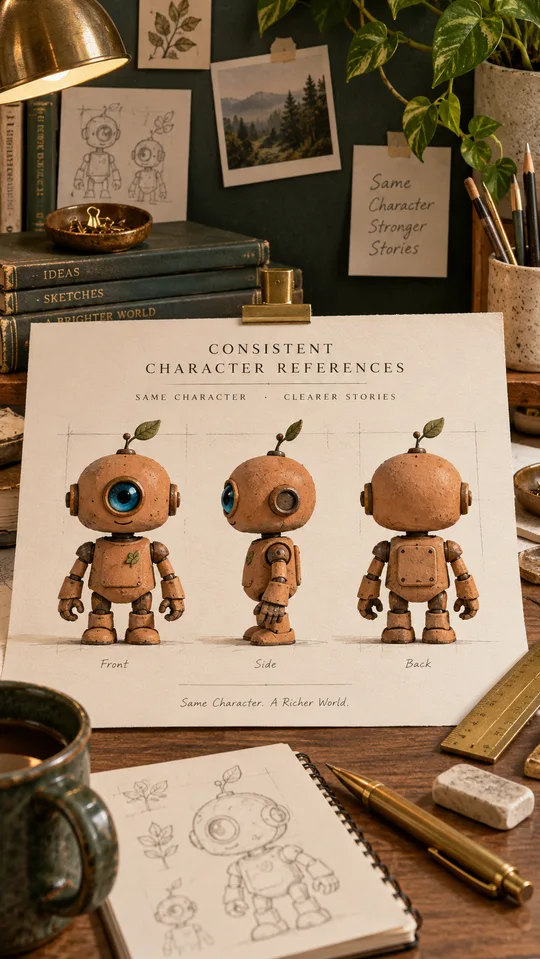
A character can change between generated images even when you repeat the same name. Give the model visible identity details and reuse a reference sheet when supported. This workflow uses an original small terracotta robot, so the design can be described without relying on a celebrity or a copyrighted character.
Choose a few identity anchors
Write five details that should remain stable: terracotta body, one round blue eye, short square legs, a cream chest panel and a small scratch on the left shoulder. Avoid changing these details when you change the background. A long list of tiny accessories is harder to review and may distract from the silhouette.
Make a reference sheet
Ask for front, side and rear views on a neutral background. Check the sheet yourself: the eye, panel and scratch should agree across views. A reference sheet with contradictions will carry those contradictions into later scenes. Keep one approved sheet as your source rather than continually referencing the newest generated result.
Try this reusable prompt
Use the attached approved character reference. Show the same small terracotta robot with one round blue eye, short square legs and a cream chest panel. Preserve its proportions and the scratch on its left shoulder. Scene: watering a small plant beside a kitchen window. Soft morning light, medium full-body view. Change only the pose, lighting and surroundings; keep the character design consistent.
Compare scenes systematically
Place two outputs side by side. Check silhouette first, then colors, facial features and accessories. If the robot becomes taller, revise the proportion instruction before changing the style. When a tool offers reference strength or seeds, record the settings, but do not assume they guarantee identical results across versions or tools.
Keep a small production record
Save the approved reference, identity description and final prompt with each scene. Note what failed and the correction that helped. This is more useful than a folder of unnamed images. For real people, use authorized photos and review identity, consent and the intended use before publishing an edit.
Put the idea into practice.
Find a starting point in the prompt library and adapt it to your task.
Explore prompts →