
Plan an AI video with a three-shot storyboard
Turn one idea into three manageable shots with clear action, framing and continuity.
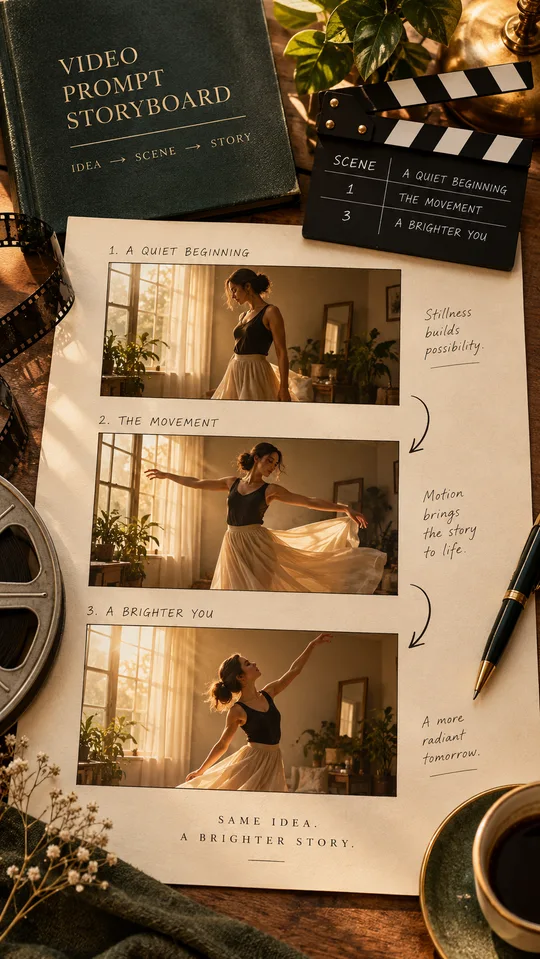
A video prompt becomes easier to control when each shot has one job. Instead of asking for a complete story with several locations and camera moves, plan a short sequence first. This guide uses a simple example: a dancer enters a room, performs one movement and finishes in a still pose. Treat durations as planning targets; the available controls depend on your video tool.
Write the action before the style
Describe what changes on screen. “A dancer steps into the frame and raises one hand” is observable. “An amazing cinematic dance” leaves the action undefined. Choose a subject, a location and one action per shot. Keep the wardrobe, time of day and room description in a separate continuity note that you reuse.
Build three small shots
Shot one establishes the room with a locked wide camera. Shot two shows the hand movement in a medium view. Shot three holds the final pose. Write the intended start and end of each shot so you can spot a broken transition. If a single continuous movement matters, use one shot rather than joining incompatible clips.
Try this prompt
Create a three-shot storyboard for a vertical dance clip in a warm living room. Subject: one adult dancer in a plain green shirt and dark trousers. Action: enter frame, raise the right hand once, then hold a relaxed pose. For each shot give framing, starting pose, ending pose and camera movement. Keep the room and clothing unchanged. Use one action per shot. Do not add extra characters or cuts within a shot.
Review before generating
Read the storyboard as if you were filming it. Can every movement happen in the stated order? Are left and right consistent? Remove competing camera instructions such as “locked camera” and “orbit around the dancer.” Use reference images only when you have permission and the tool supports them.
Check the finished sequence
Compare the last frame of one clip with the first frame of the next. Look for changed clothes, extra limbs, shifted furniture and sudden lighting changes. Repair the weakest shot instead of regenerating the entire sequence. Add licensed music and captions in an editor after you are satisfied with the motion.
Put the idea into practice.
Find a starting point in the prompt library and adapt it to your task.
Explore prompts →