
How to write a prompt that actually works
Build a usable brief from six facts, then check a pottery-workshop announcement line by line.
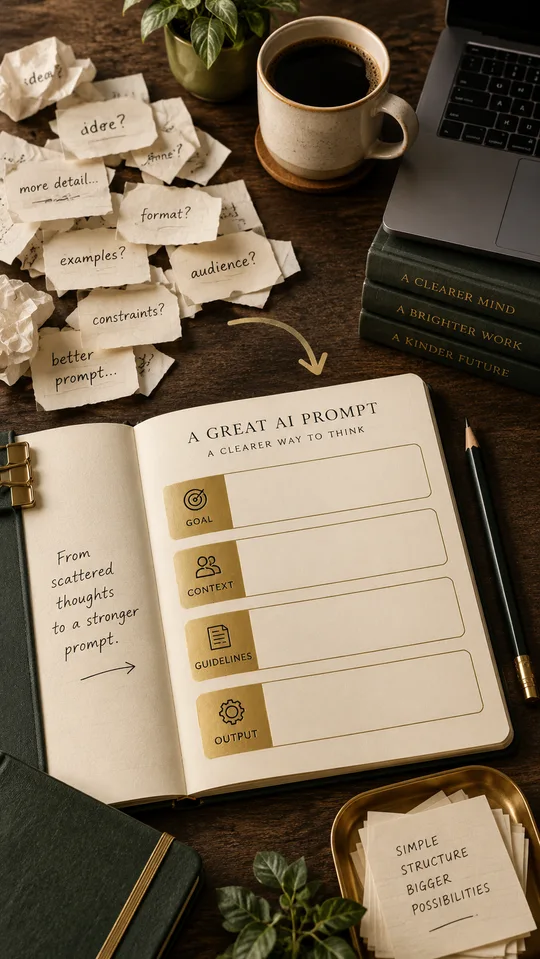
A prompt is a brief for a job you want done. If the brief leaves out the price, the reader or the next step, a polished response can still be unusable. You can make the job clearer without a long introduction or a list of expert roles.
This worked exercise uses an imaginary pottery workshop. The facts and sample wording below were written for the exercise; they are not a report of a tested tool response.
Start with the information you actually have
Here is the complete source brief. Notice that it contains both known facts and a gap.
- Activity: a beginner pottery workshop where each attendee makes one small pinch pot.
- Time: Saturday, 3 pm to 4:30 pm. The calendar date has not been supplied.
- Location: Studio 8, Park Road.
- Price: Rs 600 per person; clay and tools are included.
- Group size: eight people. The number of remaining places is unknown.
- Booking: the booking link will be supplied later.
Group size is not the same as availability. A draft that says “Only eight places left” would turn a capacity fact into an unsupported urgency claim. Keep that distinction in the brief.
Try this complete brief
Write a short announcement for adults trying pottery for the first time. Use only the source facts below. Lead with what participants will make. Include the time, location, price and included materials. Use friendly, everyday English. Do not claim that places are selling out. Do not invent a date or booking link. Return an announcement of up to 80 words, followed by a separate list of missing details. Source facts: beginner workshop; make one small pinch pot; Saturday, 3 pm to 4:30 pm; Studio 8, Park Road; Rs 600 per person; clay and tools included; eight-person capacity; exact date and booking link not yet supplied.
The task, audience, source facts and output format are all visible. There is no need to add “world-class copywriter” to make the missing date appear. If you need a final publishable announcement, obtaining that date is the next task.
Compare a weak draft with a usable one
Weak illustrative draft: “Unlock your creativity at our exclusive pottery masterclass this Saturday! Last places available at an unbeatable price. Book now.”
It omits the item being made, price, location and duration. “Exclusive,” “last places” and “unbeatable” do not come from the brief. Asking for “more exciting” would not repair those missing facts.
More useful editorial version: “Make your first pinch pot at our beginner pottery workshop. Join us at Studio 8, Park Road, on Saturday from 3 pm to 4:30 pm. It costs Rs 600 per person, with clay and tools included. No pottery experience is needed.”
The last sentence is a reasonable restatement of “beginner,” but it is still worth checking with the organiser. Missing details remain separate: exact Saturday date and booking link. Add them before publishing; do not leave a reader to guess how to attend.
Give feedback that names the defect
If a response invents availability, say: “Remove the sentence about remaining places. The notes give room capacity, not live availability. Keep the other workshop facts.” If the opening is vague, say: “Start with making a pinch pot, then give the booking details.”
Correct facts first, ordering second and tone last. Changing everything at once makes it harder to see why a revision helped.
Use this final check on your own brief
- Could the reader identify the activity from the first sentence?
- Does every date, number and promise have support in the source notes?
- Are missing details visible to the editor rather than silently guessed?
- Is the next step possible with the information provided?
- Have you checked the final wording yourself, including any seemingly harmless additions?
For your next task, replace the workshop facts with your own six-line brief. Keep the structure if it helps, but remove constraints that have no purpose. A clear prompt is the shortest brief that still lets you judge the result.
Put the idea into practice.
Find a starting point in the prompt library and adapt it to your task.
Explore prompts →