
AI Circus Video Prompt: Elephant to Horse | AI Prompt King
Make an AI circus stunt video with two Google Flow prompts. Create the elephant scene, extend to a horse landing, and review motion and character continuity.
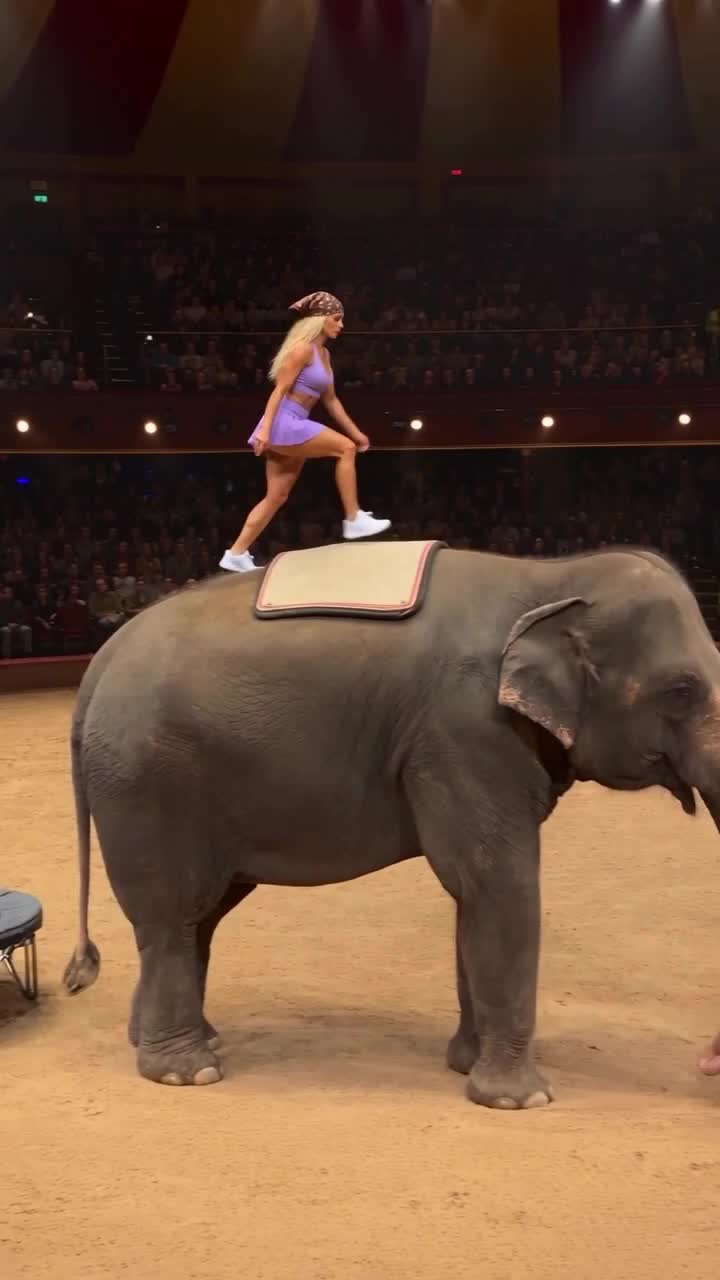
Illustrative cover; not a verified result from this prompt.
Read the full prompt
Create an 8-second vertical 9:16 photorealistic fictional circus performance. This is an AI fantasy scene, not footage of a real performer. One clearly adult female acrobat, approximately 28, with shoulder-length dark brown hair tied back, wearing a teal sleeveless athletic leotard, opaque teal leggings and white flat acrobatic shoes. No resemblance to a known creator, no text, logos or social-media overlays. SETTING AND CONTINUITY: A large indoor circular circus arena with a warm tan sand floor, curved dark-red ring barrier, packed softly focused audience and warm overhead spotlights. At frame one, show the whole intended route: a tall stable platform at left, a low round black trampoline beside it, and one calm anatomically plausible Asian elephant standing farther right with a broad cream padded mat on its back. Keep the same floor level, animal size, light direction and audience throughout. Film from a spectator's eye-level position with a gentle rightward follow; show full bodies and the support surfaces. ONE CONTINUOUS ACTION: 0–1.5 seconds: the acrobat bends her knees and makes a controlled leap from the platform toward the trampoline. 1.5–3.5 seconds: one clean compact forward rotation, then feet-first contact with the trampoline. The trampoline visibly compresses under her weight, then rebounds. 3.5–5.5 seconds: the rebound carries her in one smooth, clearly readable arc toward the padded elephant's back. 5.5–6.5 seconds: both shoes land on the pad, knees flex to absorb the landing, then she regains balance. 6.5–8 seconds: she stands securely, takes one small controlled step and holds her arms out. End with her fully visible standing on the pad, ready for the next movement. The elephant remains calm, grounded and unharmed; no trainer, chains, whips, fear or aggression. Use real-camera texture, believable skin, fabric, hair, gravity, momentum, contact shadows and motion blur. Movement must be sequential: launch, flight, contact, compression, rebound, landing. No teleporting, floating, direction reversals, extra limbs, identity changes, duplicated people, disappearing equipment, morphing animals or camera cuts. Restrained audience ambience, a light trampoline spring sound and soft landing sounds. No dialogue, narration or music.
Create a fictional circus sequence in which an adult acrobat jumps from a platform, rebounds from a trampoline, lands on an elephant's padded back, and continues toward a moving horse. The reference is an AI-labelled circus Reel, not evidence of a real stunt. This guide offers a new prompt-based recreation with a fictional performer; it does not claim to reveal the original creator's model or exact prompt.
The most practical starting point is to split this complicated action into two connected clips. Generate the first eight-second section, inspect its ending, and then extend that clip with the second prompt. A clear final pose gives the continuation a better starting point than an unfinished flip. The prompts are creative directions, not a guarantee of correct anatomy or physics on the first attempt.
What you need
- Google Flow access and enough available generation credits.
- A video model that supports your chosen portrait format and, for the continuation, Flow's Extend feature.
- The first and second prompts below, used separately.
- An original fictional character, or properly authorized appearance references if you choose to customize the performer.
You do not need the reference creator's face, logo or narration. The default performer in this prompt is a fictional adult woman with tied-back dark hair and a teal athletic outfit. A consistent outfit, arena and camera angle matter more than packing many adjectives into the prompt.
Step 1: Find and copy the prompt
Open AI Prompt King from your browser or use the app link on the @rahulgaur3d Instagram profile. The Android listing is https://play.google.com/store/apps/details?id=com.adburner.ai_prompt_king. You can also search Google for AI Prompt King and open aipromptking.in. Search the website for AI Circus, open this article, and use the Copy prompt button for Prompt 1. Select and copy the text under Prompt 2 below when you are ready to extend the clip.
Step 2: Create the first circus clip
Open Google Flow and create a new project. Choose Video, select a suitable Veo model, set portrait 9:16, and choose an eight-second generation where available. Paste Prompt 1 into the prompt field. For the default text-only version, an identity photograph is not required. Generate one output first so that you can inspect the action before using more credits.
Prompt 1 describes the environment, the performer and a staged sequence: platform launch, trampoline contact and compression, rebound, and a stable landing on the elephant's pad. An explicit physical sequence helps keep the model from skipping directly between positions. Keep the performer, equipment and animal fully visible in the frame.
Prompt 1: Platform to elephant
Create an 8-second vertical 9:16 photorealistic fictional circus performance. This is an AI fantasy scene, not footage of a real performer. One clearly adult female acrobat, approximately 28, with shoulder-length dark brown hair tied back, wearing a teal sleeveless athletic leotard, opaque teal leggings and white flat acrobatic shoes. No resemblance to a known creator, no text, logos or social-media overlays.
SETTING AND CONTINUITY: A large indoor circular circus arena with a warm tan sand floor, curved dark-red ring barrier, packed softly focused audience and warm overhead spotlights. At frame one, show the whole intended route: a tall stable platform at left, a low round black trampoline beside it, and one calm anatomically plausible Asian elephant standing farther right with a broad cream padded mat on its back. Keep the same floor level, animal size, light direction and audience throughout. Film from a spectator's eye-level position with a gentle rightward follow; show full bodies and the support surfaces.
ONE CONTINUOUS ACTION: 0–1.5 seconds: the acrobat bends her knees and makes a controlled leap from the platform toward the trampoline. 1.5–3.5 seconds: one clean compact forward rotation, then feet-first contact with the trampoline. The trampoline visibly compresses under her weight, then rebounds. 3.5–5.5 seconds: the rebound carries her in one smooth, clearly readable arc toward the padded elephant's back. 5.5–6.5 seconds: both shoes land on the pad, knees flex to absorb the landing, then she regains balance. 6.5–8 seconds: she stands securely, takes one small controlled step and holds her arms out. End with her fully visible standing on the pad, ready for the next movement. The elephant remains calm, grounded and unharmed; no trainer, chains, whips, fear or aggression.
Use real-camera texture, believable skin, fabric, hair, gravity, momentum, contact shadows and motion blur. Movement must be sequential: launch, flight, contact, compression, rebound, landing. No teleporting, floating, direction reversals, extra limbs, identity changes, duplicated people, disappearing equipment, morphing animals or camera cuts. Restrained audience ambience, a light trampoline spring sound and soft landing sounds. No dialogue, narration or music.
Step 3: Check the landing before extending
Watch the first clip at normal speed and pause near each contact point. Check that the trampoline compresses when the performer lands, that both feet meet the elephant's pad, and that the elephant's legs remain grounded. The final frame should show a stable upright performer with enough space for the next action. If the ending contains a major body defect or an unfinished fall, regenerate or revise the first clip before extending it.
This is a fictional AI spectacle, not a real-world training demonstration. Do not attempt the physical stunt or use the output as proof that a real animal or performer completed it.
Step 4: Extend to the horse scene
In the Flow desktop editor, open the generated Veo clip, click Add clip (+) on the timeline, and choose Extend (Veo 3.1 - Lite). On a phone, use Desktop site view if these editing controls are hidden. Paste Prompt 2, which continues the same character and arena into the horse landing. Keep the horse walking slowly in one consistent forward direction. Ask for a single camera follow rather than a cut to another viewpoint. Flow's documentation states that Extend currently applies to Veo-generated videos; the compatible model and settings shown in your account may differ.
Do not paste both prompts into the first eight-second generation. That compresses too many actions into a short clip and can produce skipped landings, floating feet or a sudden identity change. If Extend is unavailable in the selected configuration, check the supported-model information and the controls in your own account before proceeding.
Prompt 2: Elephant to horse continuation
Continue directly from the final frame of the existing circus video. Preserve the exact same fictional adult acrobat, teal outfit, tied-back dark hair, white shoes, elephant, padded mat, warm indoor arena, audience, lighting and spectator-camera perspective. Start from the actual final pose; do not restart the earlier action or change her identity.
Continue the movement toward camera-right. The acrobat makes one controlled forward leap from the elephant's padded back to a second low round trampoline on the sand ahead. She lands feet first; the trampoline visibly compresses, then gives one natural rebound. That rebound sends her in one compact forward rotation toward a black horse moving slowly forward along the ring. The horse wears a broad cream vaulting pad. Its forward travel stays consistent; it never slides or walks backward. She lands with both feet on the pad, bends her knees, balances, then stands upright and raises one hand toward the audience while the horse continues walking forward. Keep the complete landing visible, with the rider's feet connected to the pad. Let the horse walk slowly enough for the action to read clearly. The elephant remains behind the action, calm and unharmed.
One continuous modest rightward camera follow at audience eye level, full-body framing and natural motion blur. Preserve stable human and animal anatomy, gravity, landing contact, shadow direction and the arena's spatial layout. No extra acrobats, duplicate animals, teleportation, floating, deformed limbs, changing costumes, sudden speed changes, cuts or added text. Quiet crowd ambience and gentle hoof and trampoline sounds; no dialogue, narration or new music. This is a fictional AI circus scene; show no injury, distress, coercion or animal punishment.
Step 5: Review and download
Review the complete sequence before exporting. Look at the launch direction, limb count, contact with the trampoline and vaulting pad, horse direction, outfit continuity and background stability. Download the result using the export options available in your Flow account. A visible watermark, resolution choice or generation duration can depend on the account, region and model.
For an Instagram tutorial, label the short source preview as a reference example. Do not present a borrowed reference as a result you generated. Keep narration clear, and avoid layering another voice over the reference's original sound. Use music you can use in the finished post; a source preview does not automatically grant permission to reuse its entire soundtrack.
Troubleshooting
The acrobat floats: shorten the flight, require feet-first contact, and specify compression before rebound. Reduce the number of flips.
The horse moves backward: state that it travels forward to camera-right and that hoof placement follows its direction of travel. Keep the camera follow gentle.
The face or clothing changes: carry forward the same generated clip with Extend, repeat a short identity and outfit description, and avoid introducing a second performer.
The elephant and horse change size: keep animal proportions, the floor level and the camera distance explicit. Ask for full-body framing with room above the performer.
The scene looks artificial: simplify the choreography, reduce extreme camera movement, and prioritize contact shadows, motion blur, grounded feet and restrained light. Prompt wording alone cannot guarantee a flawless result; inspect each output and revise only the visible defect.
Test status for this prompt
One Veo 3.1 Fast test generated a consistent fictional acrobat, circus setting and trampoline flips, but did not complete the required landing on the elephant. That take was rejected as a matching result, and was not extended. The Extend and download controls were inspected in the live desktop editor; the full elephant-to-horse result remains unverified. Use the review checklist and revise the first clip before spending credits on the continuation.
Frequently asked questions
Was the reference made in Google Flow?
The original generation tool was not verified. This article describes a proposed Google Flow recreation workflow, not the source creator's confirmed process.
Can I use another character?
Yes. Change the fictional adult performer's description consistently in both prompts. If you use an identity photo, use an authorized image and the reference-input workflow supported by your chosen model.
Will the two clips join perfectly?
Not necessarily. Extend supplies continuity from an existing clip, but action timing, identity, anatomy and object contact still need review. A stable first-clip ending makes the continuation easier to control.
Official workflow references
- Create videos in Google Flow: https://support.google.com/flow/answer/16353334?hl=en
- Extend clips and build scenes: https://support.google.com/flow/answer/16935718?hl=en
Guide prepared on 1 November 2026. Product controls and credit requirements may change. The prompts describe fictional AI-generated activity and do not guarantee a particular output or social-media reach.