
Royal Portrait Collage: Gold Frame and Monochrome Details
Arrange a central portrait with a gold circular frame, smaller monochrome crops and a custom name layer.
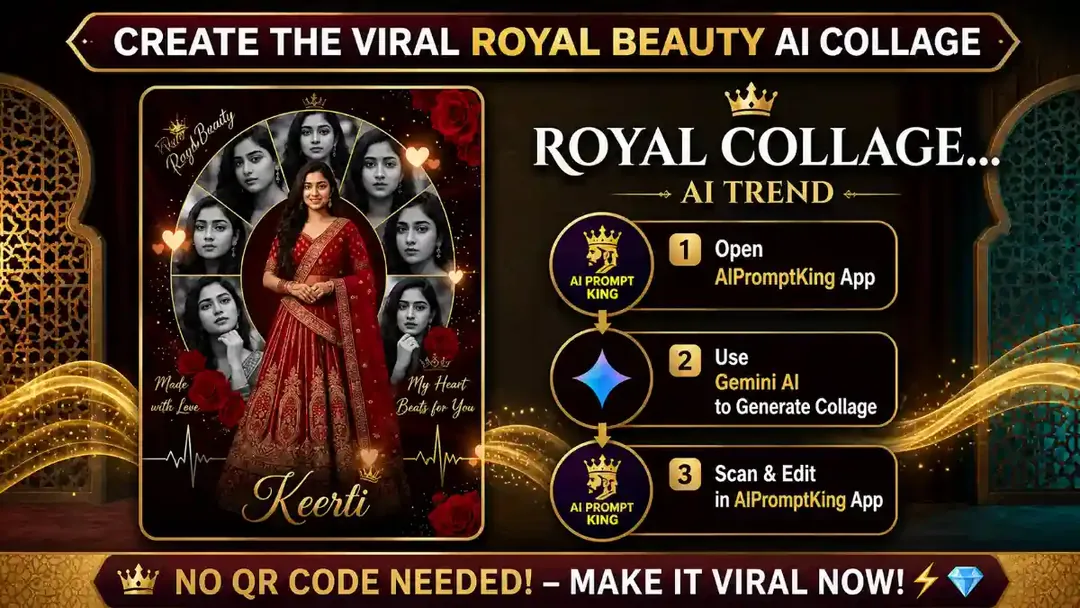
Illustrative cover; not a verified result from this prompt.
Read the full prompt
"Generate a high-quality, professional 3:4 portrait of a beautiful girl in a heavily embroidered dark red royal lehenga standing in the center. Behind her, create a large golden circular frame containing 6 to 8 segments, each segment showing a black and white close-up portrait of the same girl with different expressions. Surround the bottom and top with realistic deep red roses. Add elegant golden calligraphy text that says 'Royal Beauty' at the top and 'Keerti' (or your name) at the bottom. Decorate with golden sparkles, hearts, and a heartbeat line effect. The overall lighting should be cinematic and premium."
Establish the main portrait
Start with an authorized portrait and choose the clothing and lighting before adding the frame. Keep the central person large enough to recognize at phone size. Use a simpler embroidered outfit if tiny patterns become distorted.
Build the surrounding portraits
The prompt asks for six to eight segments, but fewer can be clearer. Try four distinct crops first: face, side profile, jewellery detail and a second expression. Place them inside the circular frame in black and white, while keeping the main portrait in colour.
Add lettering last
Replace the sample name with your chosen name in an editor. Keep roses near the outer edges and remove sparkles that cross the face. Check that every small portrait depicts the intended person; if identities drift, use actual crops from the same authorized photo set instead of regenerating them.