
Radha Krishna Background Reveal: Portrait Video Prompt
Plan a respectful Radha Krishna background reveal with a separate portrait, artwork layer and controlled transition.
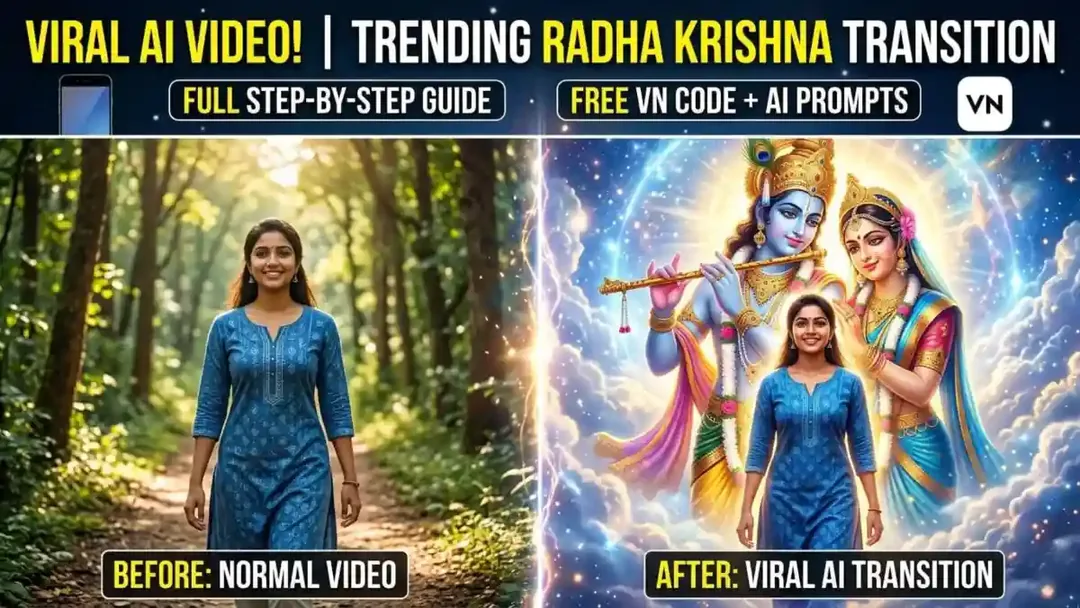
Illustrative cover; not a verified result from this prompt.
Read the full prompt
Prompt 1 (For a General Subject): "A cinematic video of a smiling person walking through a scenic forest path. As they move, the background behind them seamlessly transitions into a grand, divine illustration of Lord Krishna and Radha in a classic artistic style. High-quality animation, smooth transition, vibrant colors for the person and a mystical aura for the divine background." Prompt 2 (For a Similar Traditional Look): "Indian girl in traditional ethnic wear walking and laughing in a park with soft sunlight. A magical transition effect reveals a large, detailed sketch of Radha Krishna in the background that seems to glow. 4k resolution, smooth motion, and emotional atmosphere." Tips for better results: Aspect Ratio: For Reels or Shorts, include "9:16 aspect ratio" in the prompt. Details: You can also specify clothing colors or a hairstyle, such as "girl in a blue floral suit". Transition: Use terms such as "smooth dissolve" or "magical reveal" to describe the transition.
Prepare two separate layers
The idea is a walking portrait with a devotional illustration revealed behind the person. Choose your own portrait clip and artwork you may use. A calm background makes the transition easier to read. This page supplies a creative prompt, not a VN QR code or ready-made template.
Make a gentle reveal
Try a normal opening, a slow dissolve into the artwork and a brief final hold. Keep the person at the same size and position throughout. If your video tool changes the face, make the background separately and combine it with the original clip in an editor. Avoid adding moving ornaments, flashes and camera spins together.
Review the devotional details
Check the illustration's hands, facial features and symbols carefully. Keep captions away from faces and finish on a readable frame. Use music you have permission to publish.