
Giant Eyes and Lightning: A Three-Shot Video Plan
Break a surreal eyes-and-lightning concept into three manageable shots, with continuity notes and a quieter lightning effect.
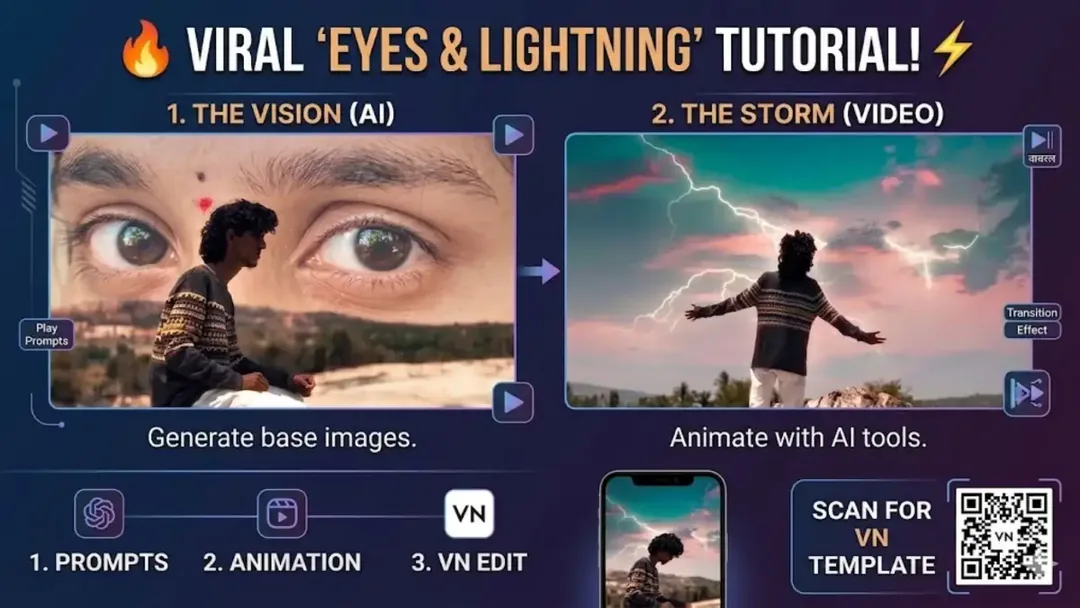
Illustrative cover; not a verified result from this prompt.
Read the full prompt
SURREAL EYES AND MOUNTAIN VIDEO STORYBOARD Prepare three separate shots using the same authorized or fictional subject, clothing and hairstyle. Shot 1: A person with curly dark hair sits on barren ground. Large illustrated eyes appear in the distant landscape behind them, with a small red bindi above the eyes. Keep the seated figure clearly separated from the background illustration. Shot 2: A close portrait of the same person, with soft drifting mist behind the shoulders. Keep the face unobstructed and the camera steady. Shot 3: A back view of the person standing on a broad, level mountain viewpoint beneath pink, turquoise and muted orange clouds. Use one gentle distant lightning glow, with no repeated flashes or sudden full-screen brightness changes. Keep the pose stable and the ground visible. Prepare each shot separately where needed, match colour and exposure, then join them in an editor. These are creative shot instructions, not a VN template or a guarantee that one generation will reproduce the complete sequence.
Split the scene before generating
The full prompt contains several locations and camera changes. Treat it as a storyboard rather than one uninterrupted instruction. Plan three shots: a seated figure beneath giant eyes, a close portrait with drifting mist, and a back view on a mountain. Reuse the clothing and hair description in every shot.
Join the strongest moments
Prepare each shot separately with the controls available in your chosen tool. Keep the first two calm so the mountain reveal has contrast. Use a short dissolve between related frames and a clean cut when the location changes. This page has no VN template or QR download.
Keep the effect comfortable
Use gentle lightning changes rather than repeated full-screen flashes. Check the mountain figure's stance and watch for duplicated eyes. Match colour and brightness across clips before adding sound.