
Cash Flex AI Video Prompt for a 3D Cartoon Character
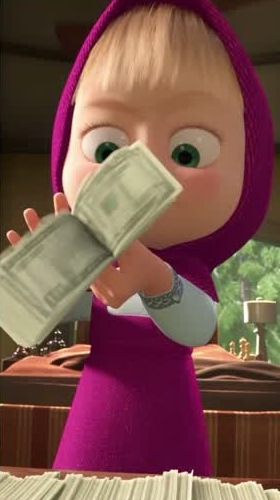
Illustrative cover; not a verified result from this prompt.
Read the full prompt
Recreate [MOTION CLIP] as one continuous vertical 9:16 shot starring the original 3D cartoon character in [CHARACTER IMAGE]. Start in the performer's opening pose. Match the timing of the cash trick at normal speed, including the small wrist turn just before the notes swing toward the lens. Keep the character's face, proportions, hair and outfit consistent from the opening frame to the last. Treat the cash as one thick stack of paper notes. Track which hand supports the stack and which fingers bend or release the free edge. As the wrist turns, the edges briefly spread into a fan and then settle together. Match the source frame by frame when the stack crosses the torso, approaches the camera or leaves the hand. Preserve its direction, apparent size and contact with the fingers through the final gesture. Keep the fingers behind the paper whenever the paper passes in front of them. Use the reference clip's camera height, crop and background perspective. Light the character and notes from the same direction. Let the moving edges of the bills blur slightly while the face stays sharp. Deliver just the character's full-frame shot, with clean edges, continuous movement and quiet room sound. Exclude the human performer, comparison borders, text overlays, duplicates and extra falling money.
How to use this prompt
- Identify the subject, audience and output you need.
- Replace any [bracketed placeholders] before you paste the prompt.
- Run it in a compatible tool. Change one instruction at a time if the result misses your goal.
- Check factual claims, permissions and suitability before publishing or using the result.
Notes from the library
Trim your motion clip to the cash trick. If it is a side-by-side comparison, crop it to the person performing the trick. In a video tool that accepts both motion and character references, attach the clip as the motion reference and a clear image of your character as the appearance reference. Select the matching attachments for the two bracketed labels below.
To make the comparison shown in the tutorial, place the source and the generated shot side by side in your editor. Align the first wrist flick so the stacks swing toward the viewer together.
Before you use the result
Use a clear reference photo only when the chosen tool supports image uploads. Use photos you have permission to edit. Describe the subject, lighting and composition separately; check faces, hands, text and background details in the result. A prompt cannot guarantee that identity or small details will be preserved.
What if the output does not match my idea?
Keep the main task, simplify conflicting instructions, and adjust one detail at a time. Describe the specific problem rather than asking only for a better result.
Does this website generate the result?
No. This website provides prompt text and guidance. Copy the prompt into a compatible tool; that service has its own capabilities, pricing and privacy terms.
Results vary by model and settings. Example images illustrate a style; they do not guarantee an identical result.
Learn how to improve a prompt →